
SMRP Resort · San Miguel River Park
From Phone-Call Bookings to Online Booking and Payment
Guests at a riverside glamping and adventure resort in Catanduanes, Philippines, had to call or message to book, and nothing could be paid online. I led the design of a new website and booking platform: live availability, PayMongo checkout with GCash, Maya, QR Ph and cards, and inventory rules that can't double-book.
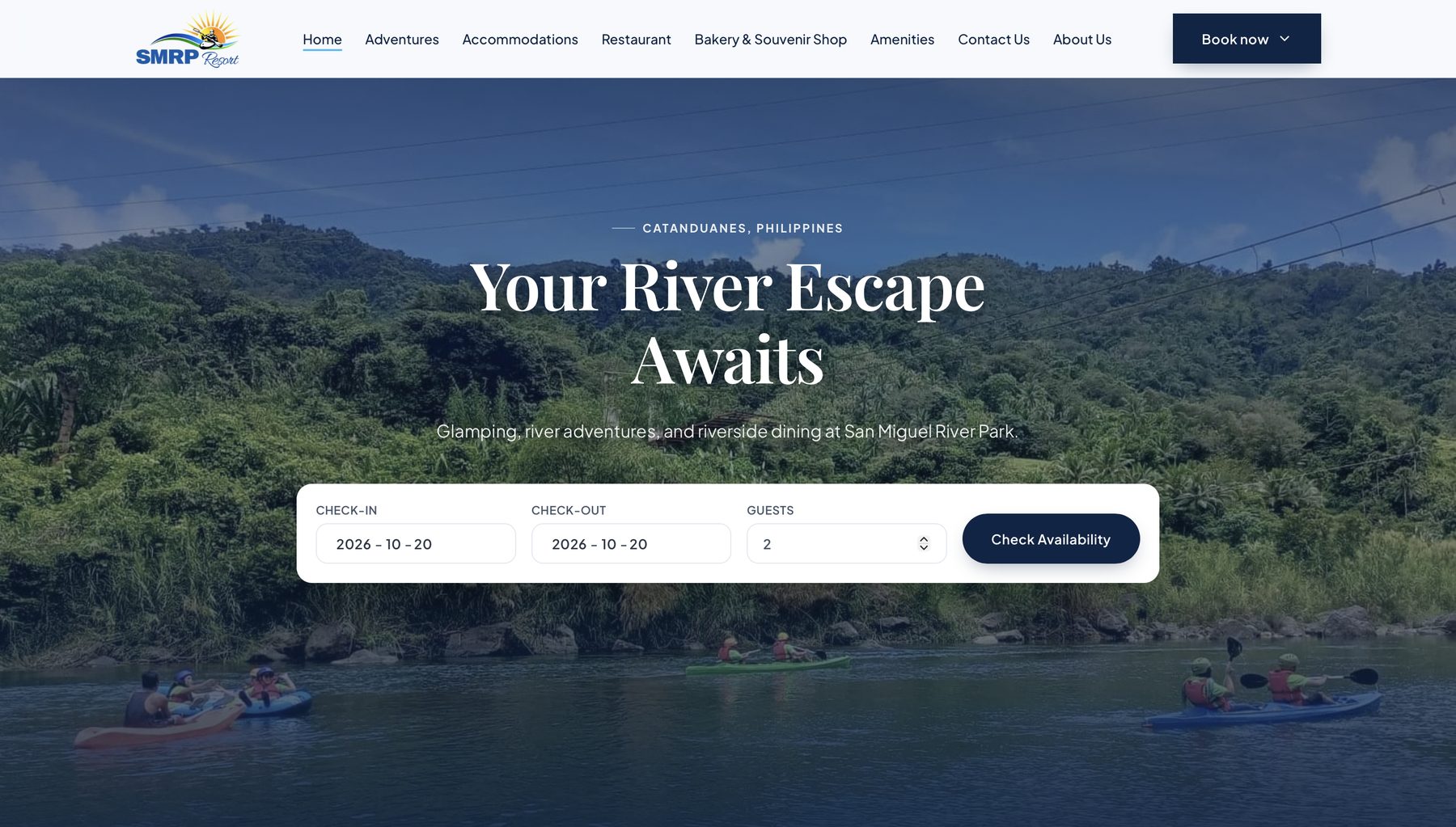
Final Homepage
My Role
Design Lead on an AI-Assisted Build
I owned the product and design decisions, art direction, content, photo selection and editing, quality review and client communication. The platform was built with AI-assisted development in Claude Code, with me directing the implementation. The project started on 3 September 2026; the main build and iteration ran from late September to 9 October.
The Challenge
A Real Resort Behind a Placeholder Site
The old WordPress site wasn't helping the resort sell. Its booking form came from a template plugin, so guests still called or messaged to book, and the resort couldn't take payment online.
Placeholder Copy
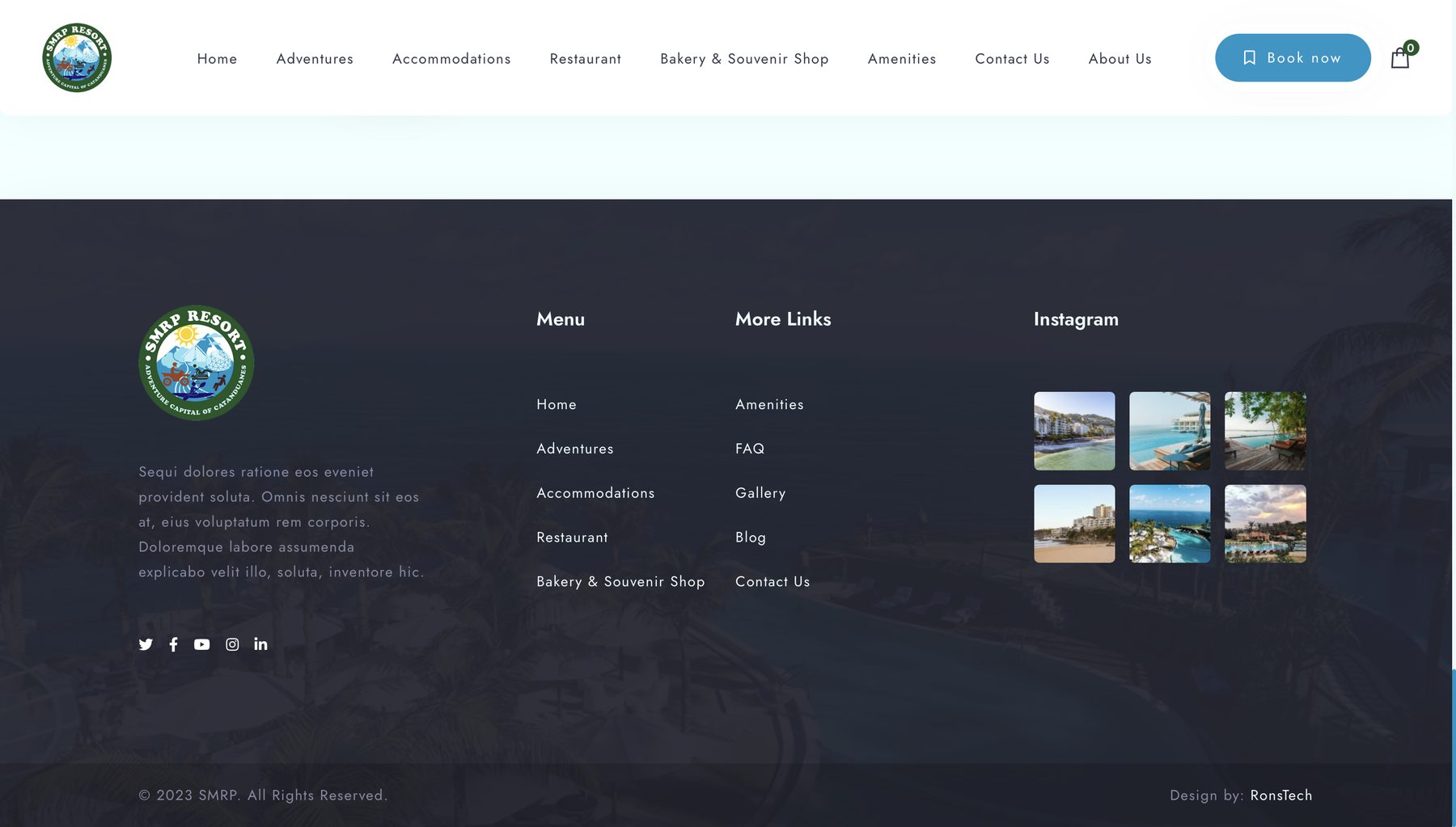
The homepage, restaurant and menu headers, and even the footer were still in lorem-style filler text.
Generic Imagery
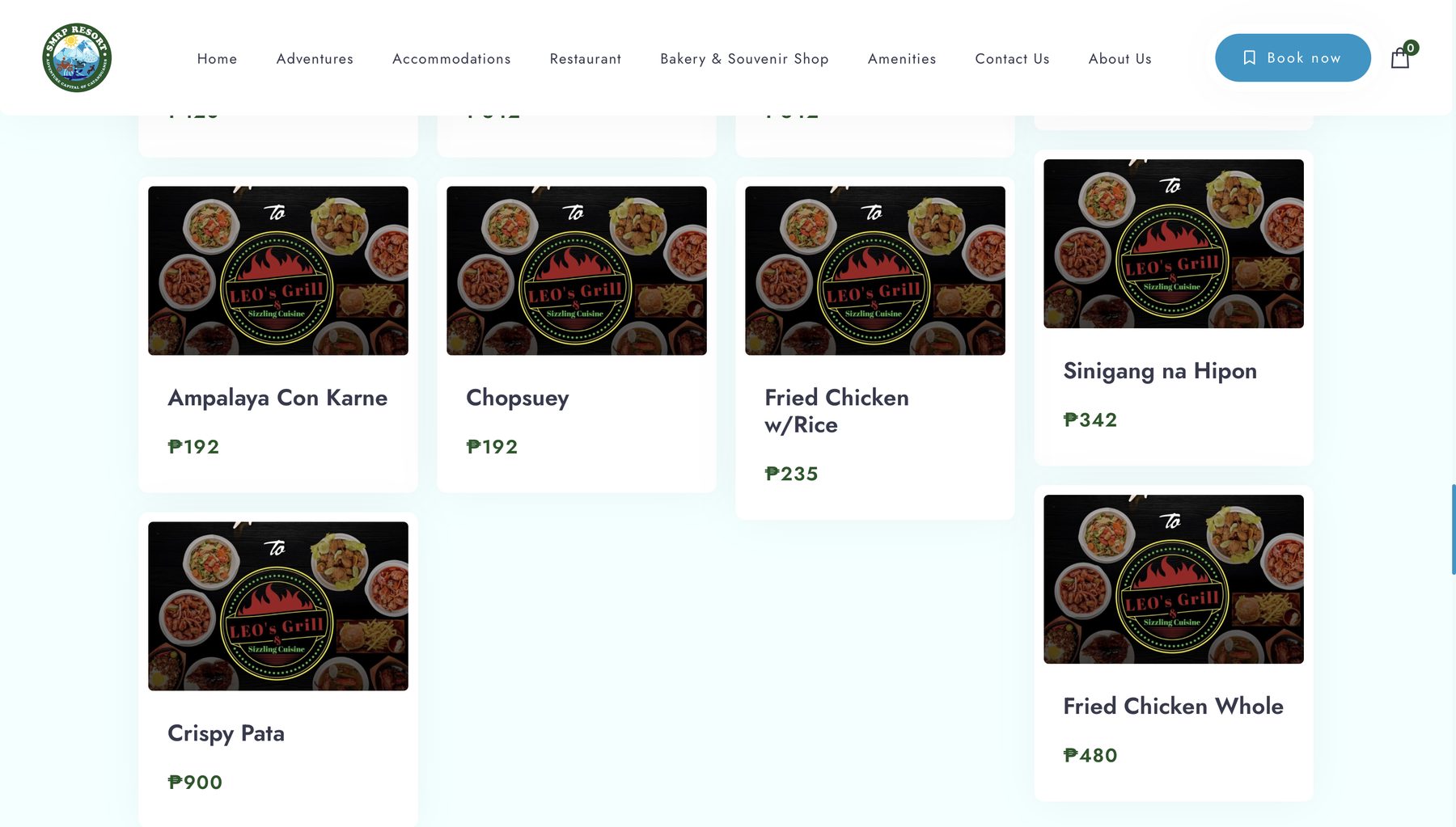
Every dish on the menu used the same restaurant logo, and the footer’s Instagram grid showed stock photos of other resorts.
Booking by Phone
Guests had to call or message to reserve a room or an adventure.
No Online Payment
Nothing could be paid in advance, so every reservation depended on a follow-up conversation.
Brochures as Pages
Room pages were the printed brochure dropped in as an image, so rates and details couldn’t be read, searched or updated.
Developer-Dependent
Staff needed to change rooms, menu, prices and photos themselves, without calling a developer.
Homepage
Before
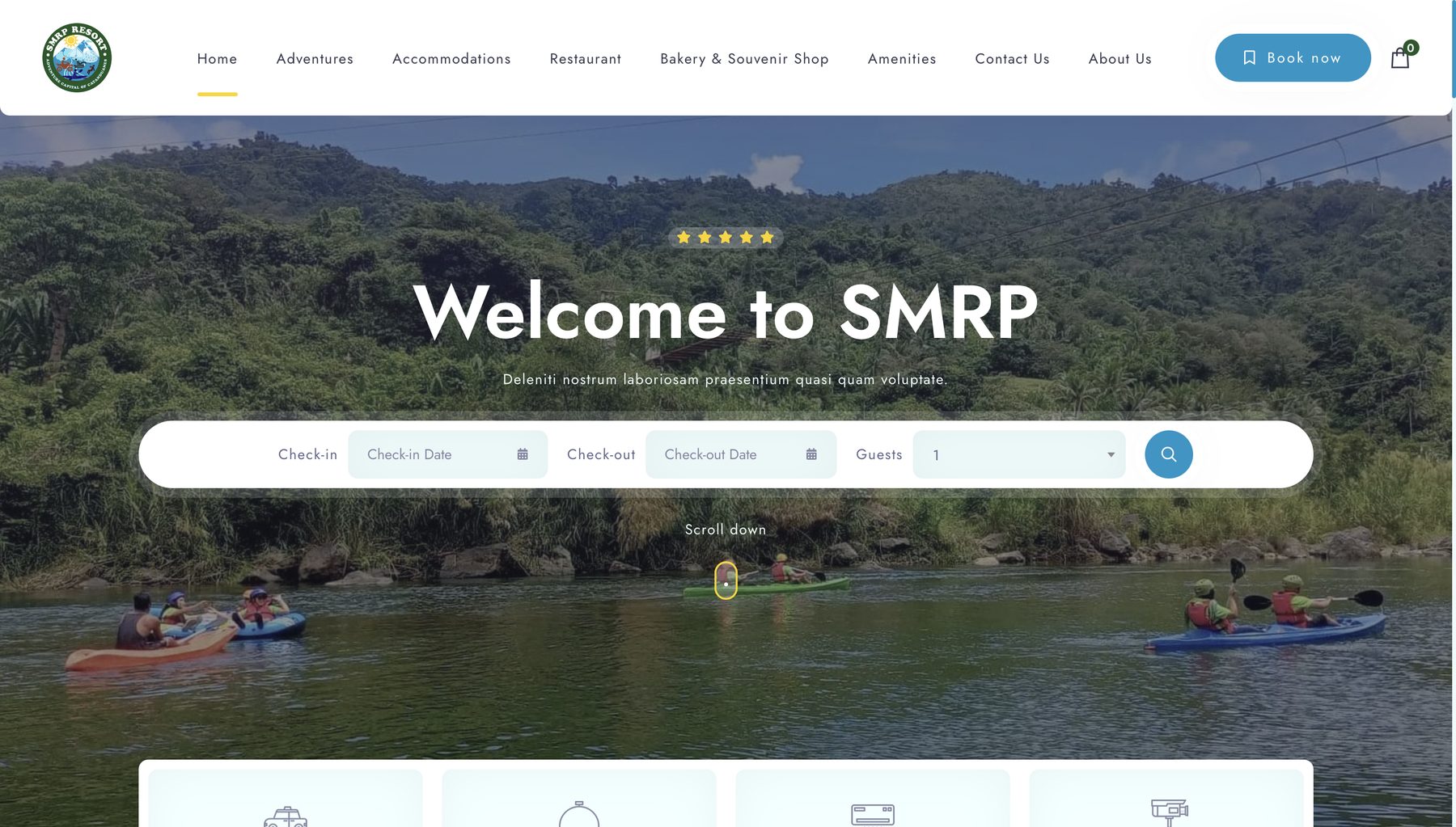
After
Same river, same kayakers. The old headline was followed by Latin filler; the new one says where you are and what you can do there.
My Approach
The brief I worked from:
Show the real resort, let guests book and pay without a phone call, and give staff full control of the content.
I started from what a guest needs to decide: what the rooms look like, what they cost on their dates, and whether they're free. Then I worked out what staff need to keep that information correct. That set the order of the build.
01
Content Model
Every area editable in Payload CMS
02
Visual System
Palette, type, components, real photos
03
Booking & Payment
Inventory, holds, PayMongo
04
Client Iteration
New logo, retired rooms, legibility
Visual Direction
I restyled the site away from the editorial template it started from: a navy and sky-blue palette that echoes the river, Playfair Display headings with Plus Jakarta Sans body text, and solid pill buttons. A river-themed loading animation and a parallax hero give the homepage a sense of place.
Because rooms, adventures and food each work differently, “Book now” opens a short choice (Accommodations, Adventures or Order Food) so nobody lands in the wrong flow.
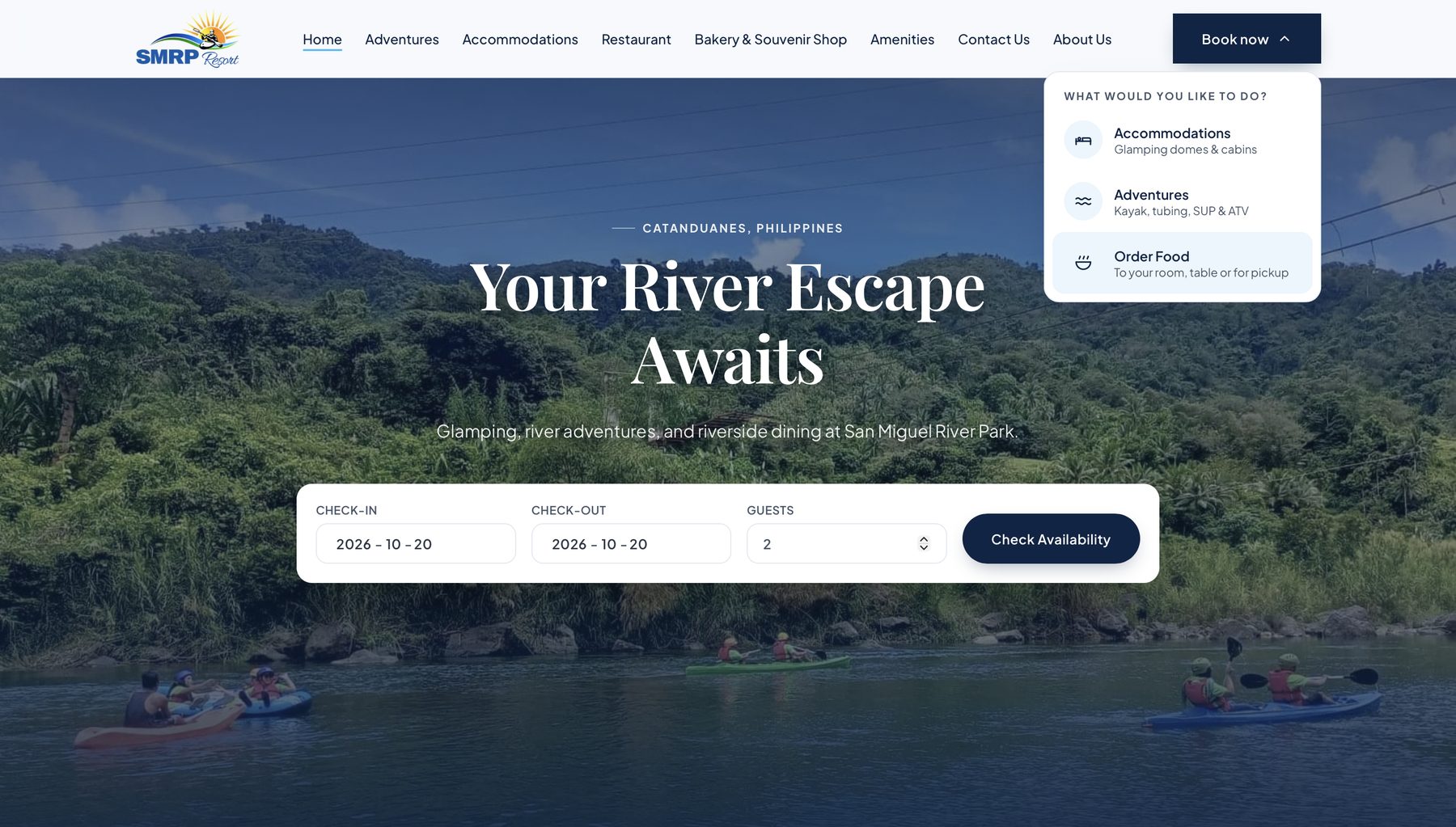
The Book Now Menu
Booking & Payment
From a Phone Call to a Paid Booking
This was the heart of the project. Before, every reservation started with a call or a message and nothing was paid in advance. Now a guest can find a free room, see the exact price, and pay with a card, GCash, Maya or QR Ph in one sitting.
A double-booked room hurts a small resort more than having no online booking at all, so every step below was designed around one rule: a booking that looks confirmed has to be.
Step 01
Search by Date
The search on the homepage takes dates and guests first. Results mark every room Available, Booked out or “Max N guests”, so a guest learns about a mismatch before filling in anything.
Step 02
Compare the Room, Price Included
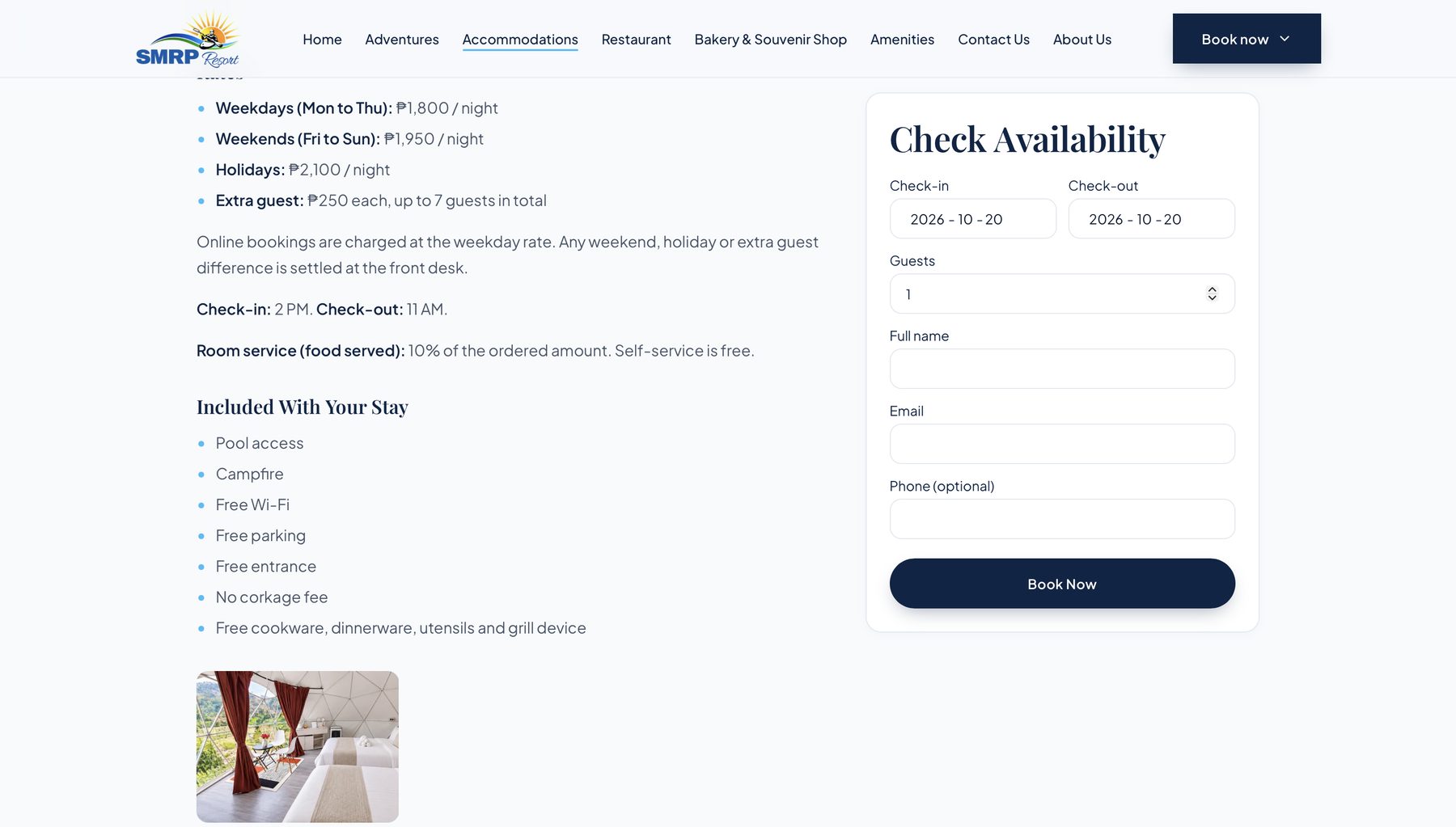
Every room page shows the full weekday, weekend and holiday rates, the extra-guest fee, check-in times and what’s included. Online bookings are charged at the weekday rate and any difference is settled at the front desk, which keeps checkout to one clear price without hiding the full rate table.
Step 03
See What’s Free
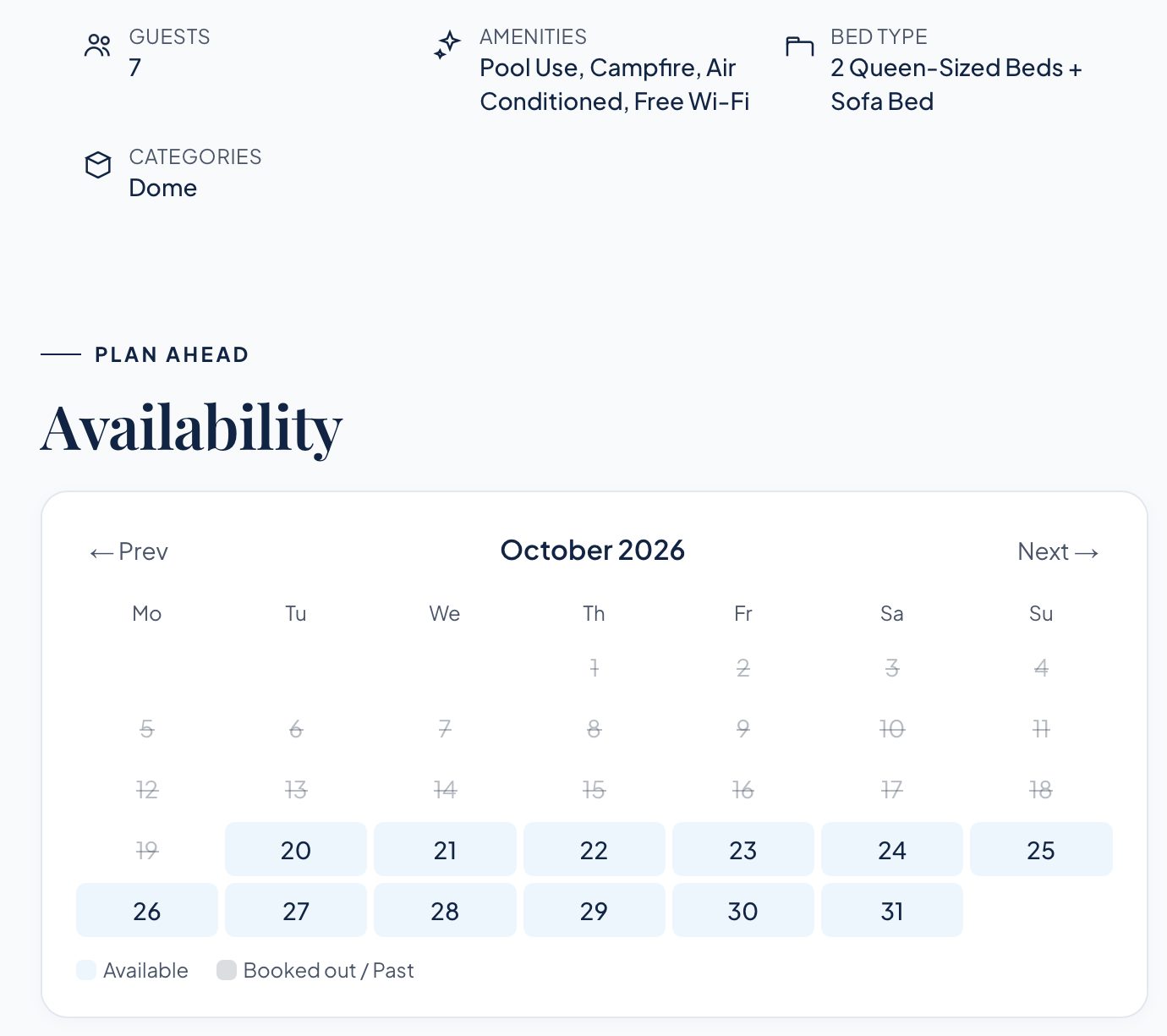
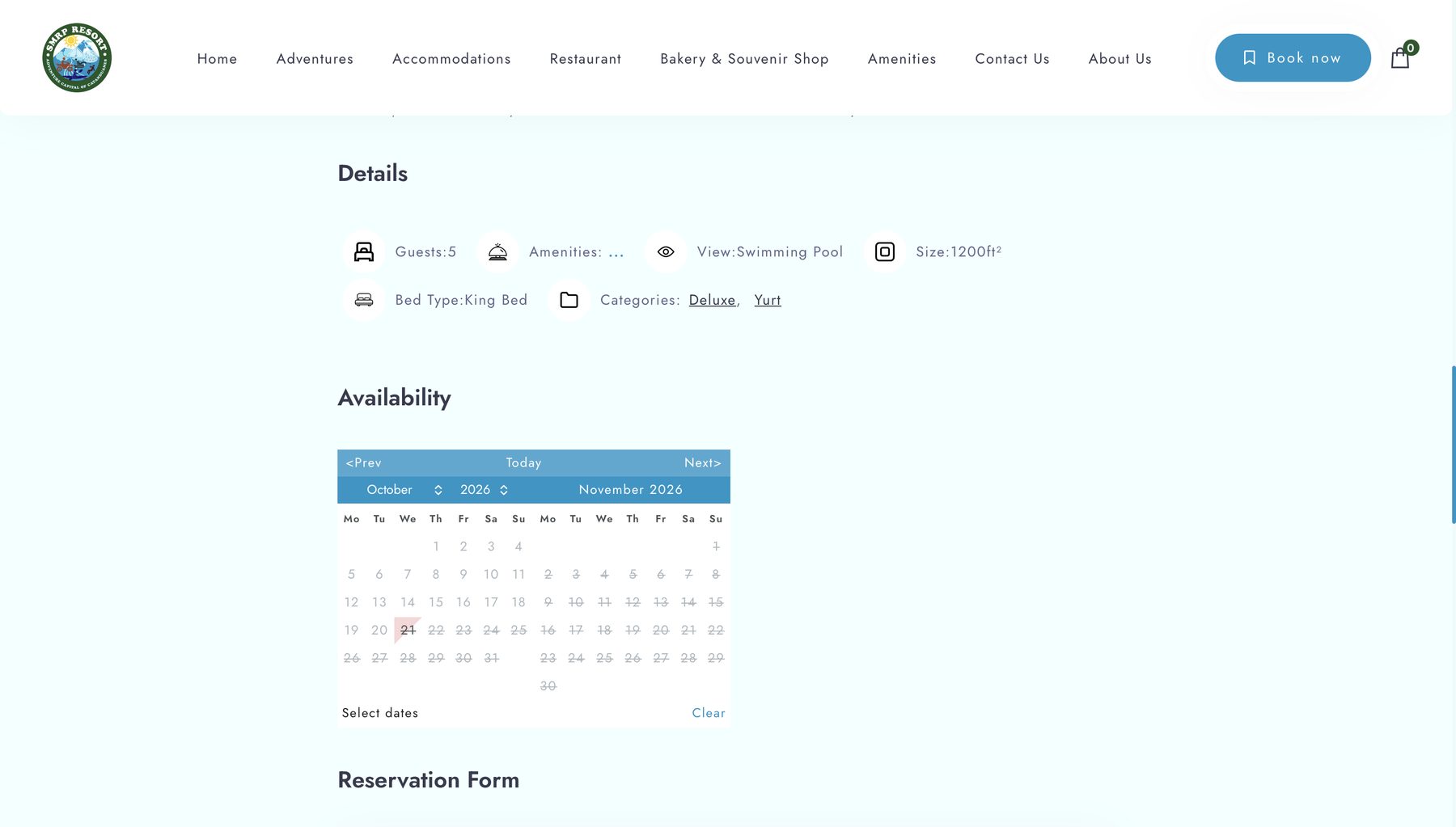
The room calendar crosses out past and booked-out nights. Behind it is real inventory: each room has a “units available” count (the Junior Cabin has two, the others one), a night is booked out only when every unit is taken, and check-out day stays free for the next guest.
Step 04
Book With a Live Total
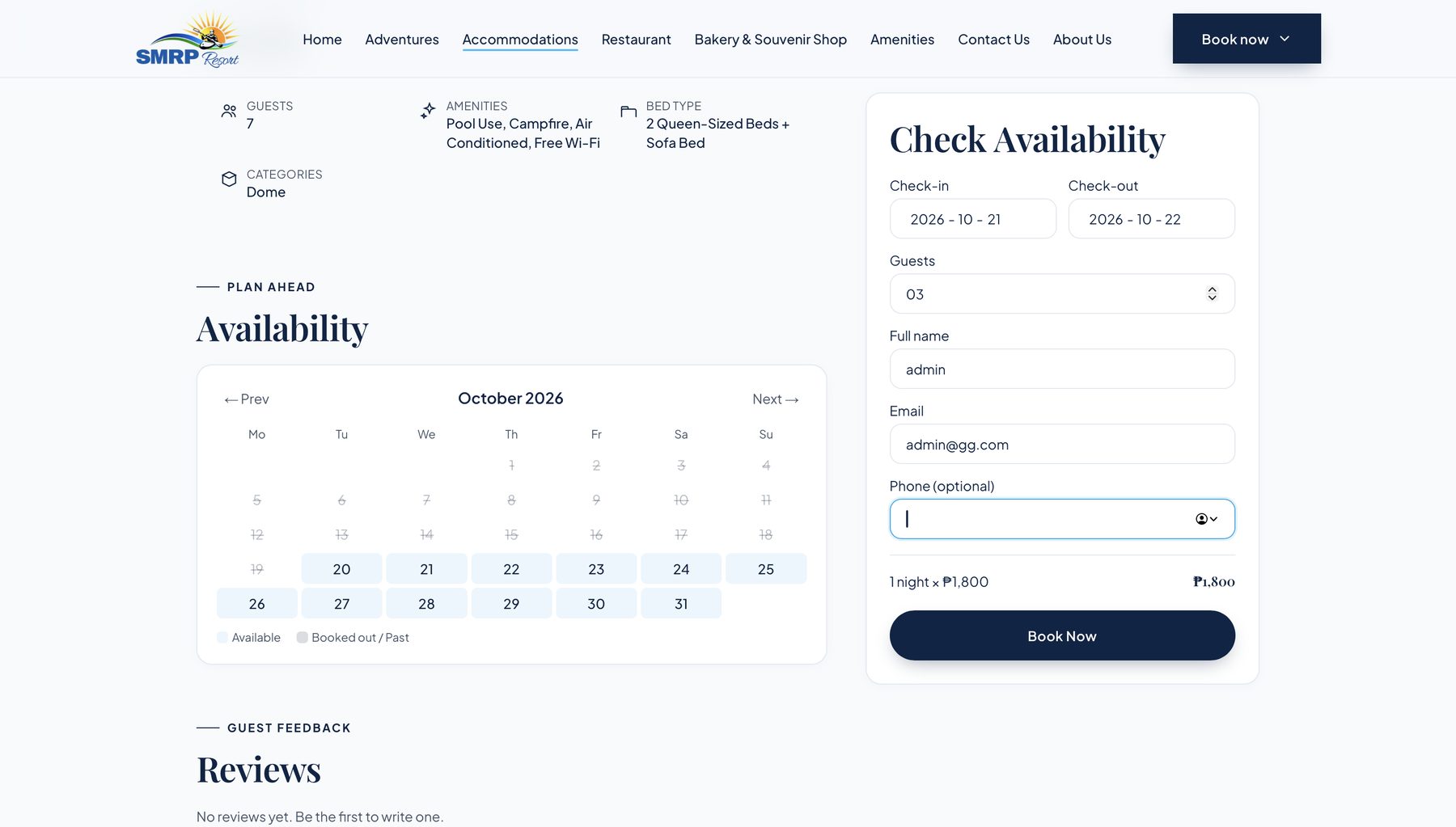
The booking form sits beside the room details and updates the total as dates change (here, 1 night × ₱1,800), so the guest knows exactly what they’ll pay before they leave the page.
Step 05
Stopped Before Checkout, Not At It
Problems surface in the form, in plain language, instead of after a guest has paid. The guest count is capped at the room’s maximum, and clashing dates are named one by one with the button disabled.
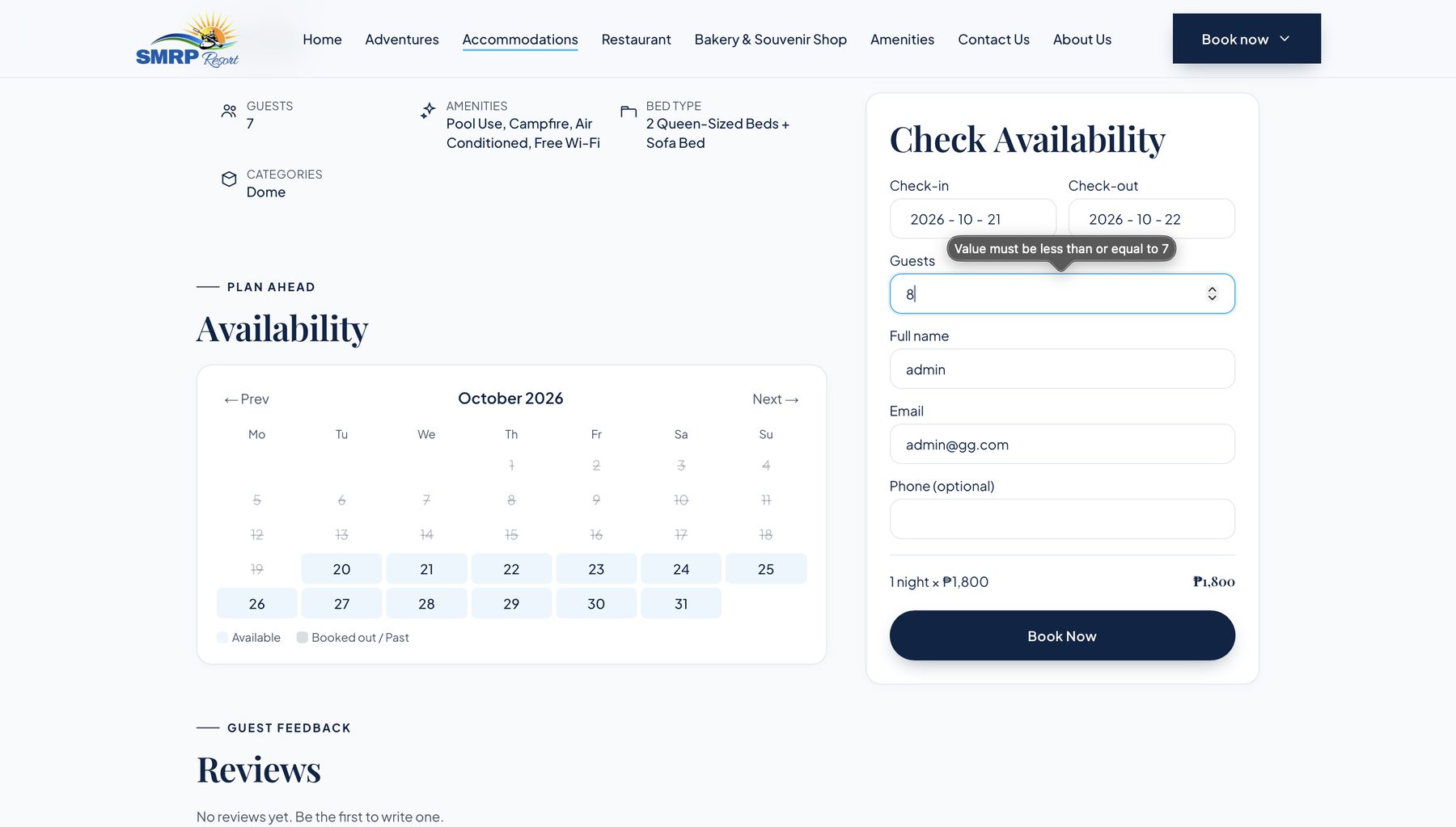
Guest Count Capped at 7
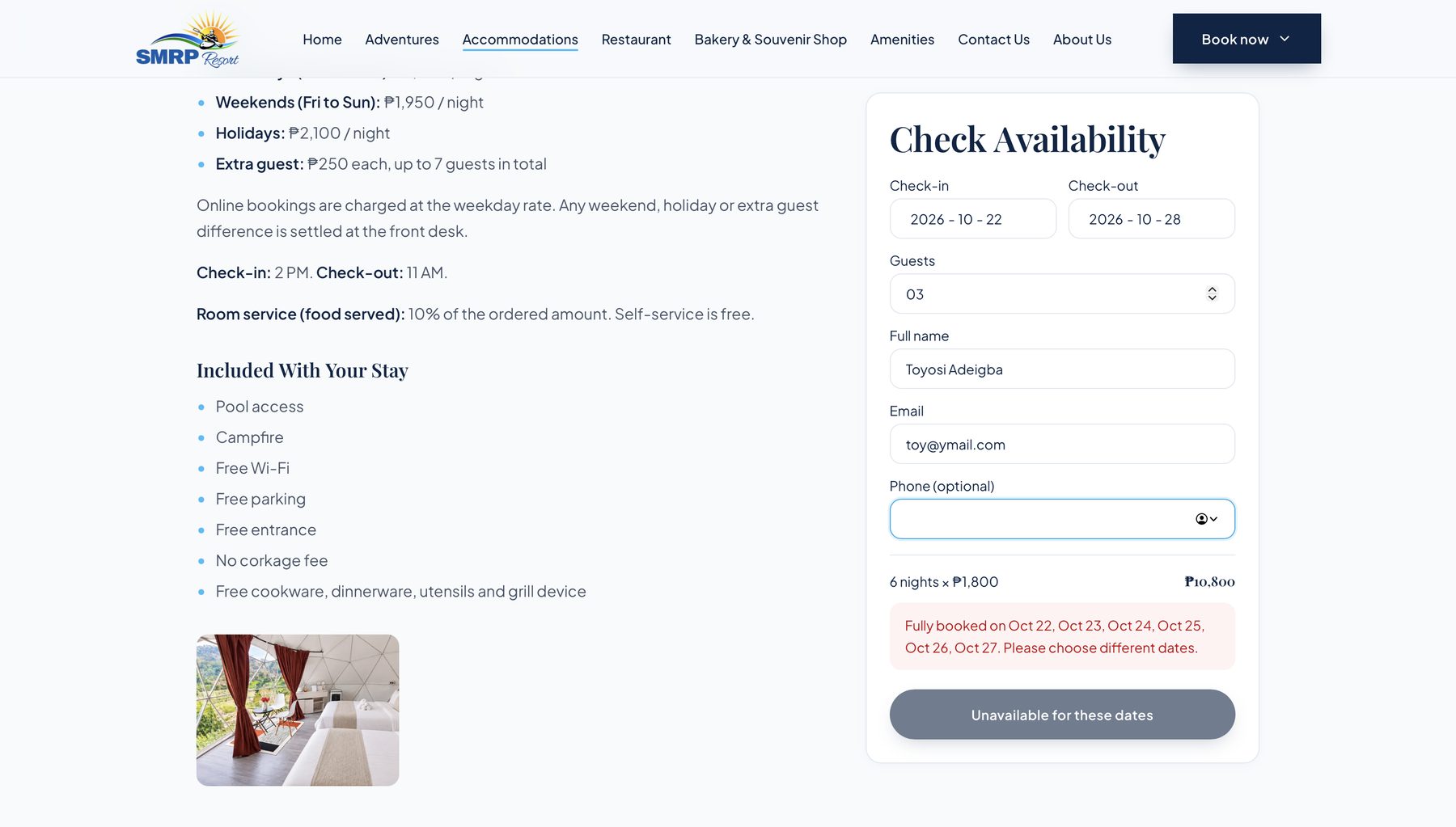
Booked-Out Nights Named
Step 06
Pay the Way Guests Already Pay
Payment hands off to PayMongo checkout with the booking and total carried over. Alongside cards it accepts the local options GCash, Maya and QR Ph, so guests don't need a credit card to book.
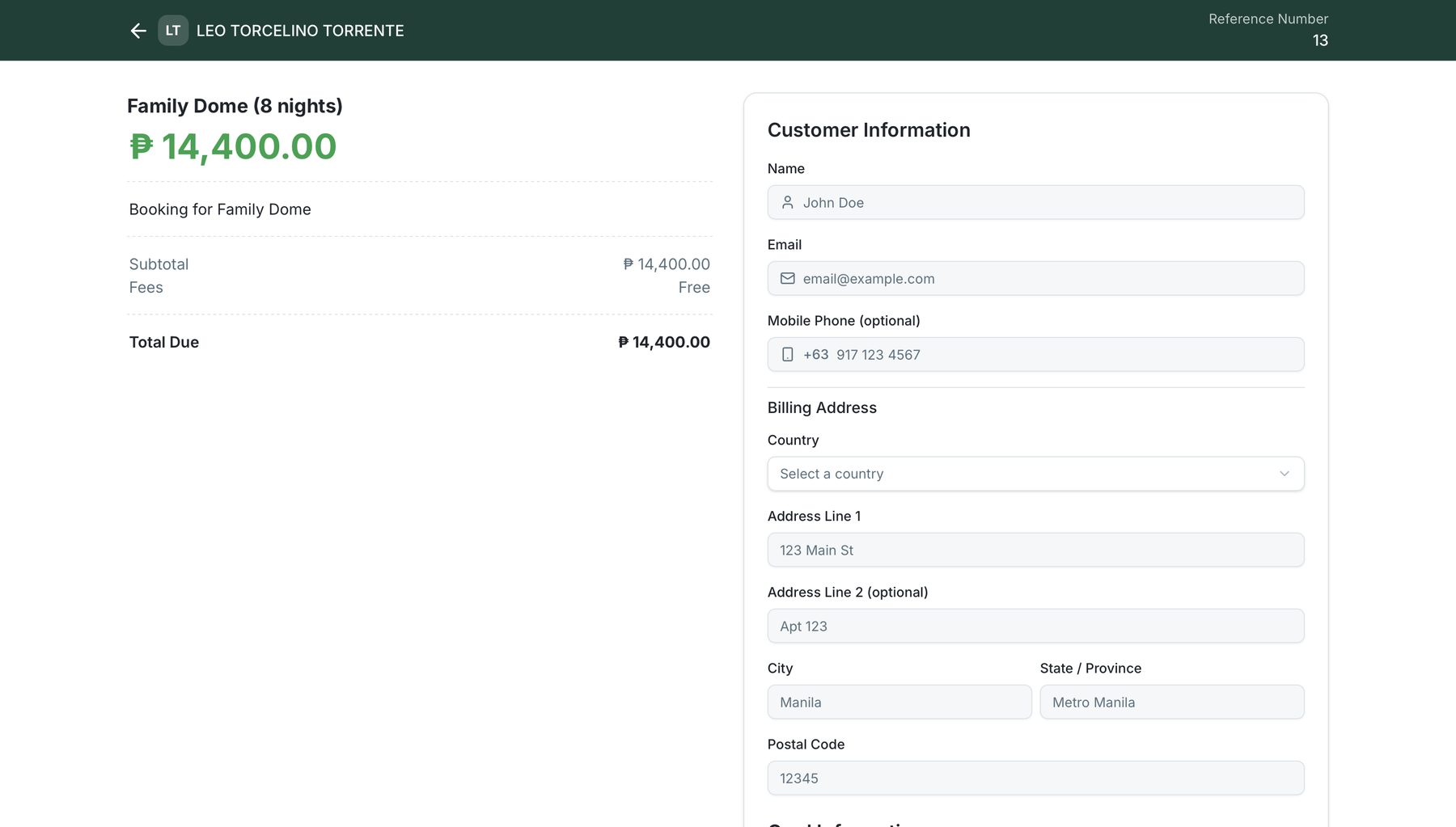
Booking and Total Carried Over
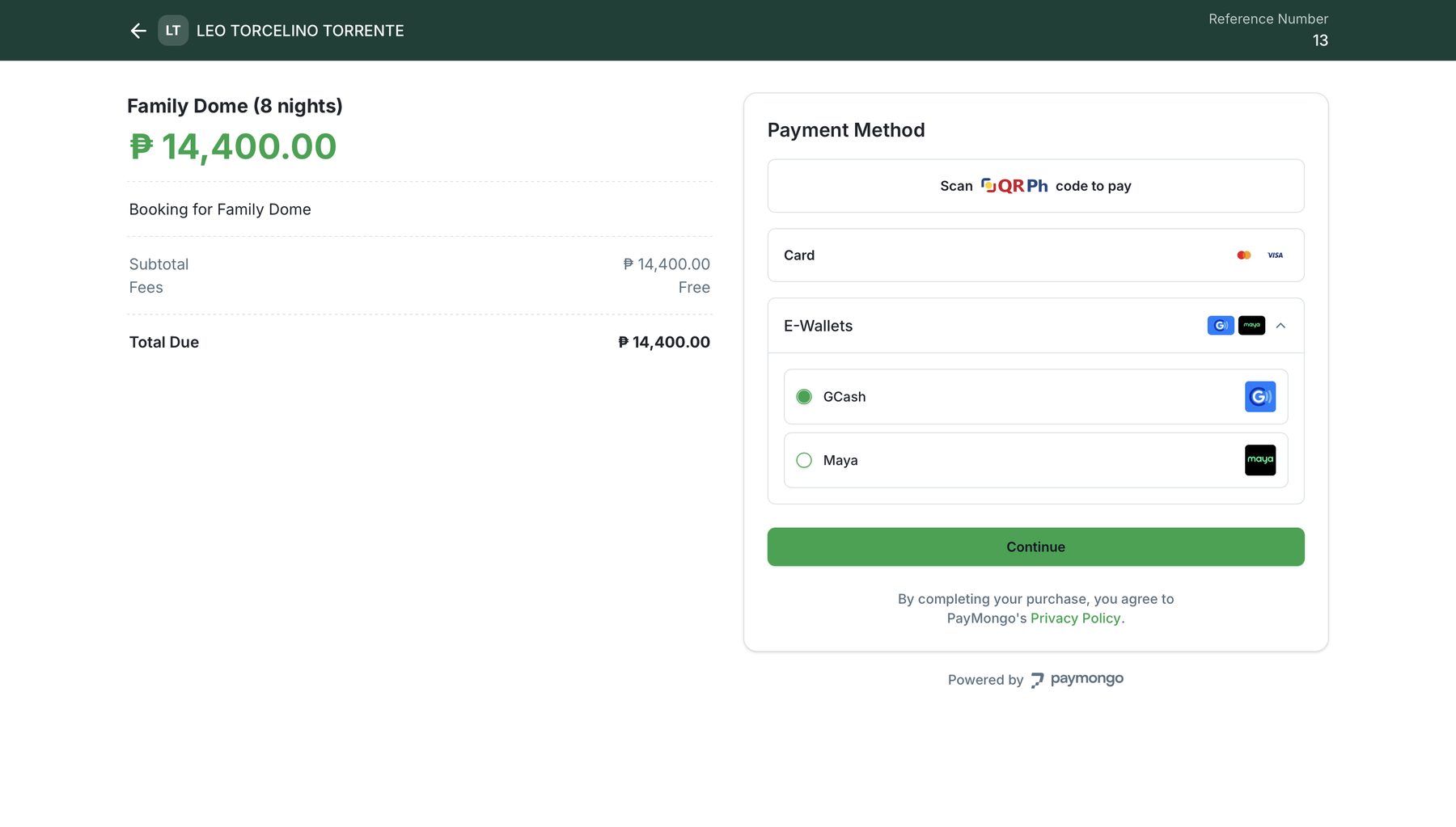
Card, GCash, Maya or QR Ph
Step 07
Hold, Then Confirm or Release
The part guests never see, and the part that took the most thought.
01
Save & Re-check
Availability checked again right after saving
02
Hold 60 Minutes
Room held while the guest pays
03
Ask PayMongo
Each expired hold is checked
04
Confirm or Release
Paid: confirmed. Unpaid: link closed, room freed
Overbooking Protection
Availability is checked again right after a booking is saved, so two guests paying at the same moment can’t both get the last room. Bookings staff add by hand follow the same rule.
Why Not Just a Timer?
PayMongo checkout links don’t expire on their own. Releasing a hold on a timer alone could cancel a booking that had just been paid, so the system asks PayMongo about each expired hold before deciding.
Paid Holds Are Confirmed
If the guest paid, even at the last minute, the booking is confirmed and the room stays theirs.
Unpaid Holds Are Released
If not, the payment link is closed so it can’t be paid later, and the room goes back on sale.
Adventures Book the Same Way
Kayak, river tubing, stand-up paddle board and ATV run on the same booking and payment flow, with package options and a live total: SUP for 1 hour (₱300) or 2 hours (₱600) per board, tubing at ₱250 per tube.
Practical details (times, minimum age, start and end points, gear, guides) sit next to the form, so guests can decide without asking first.
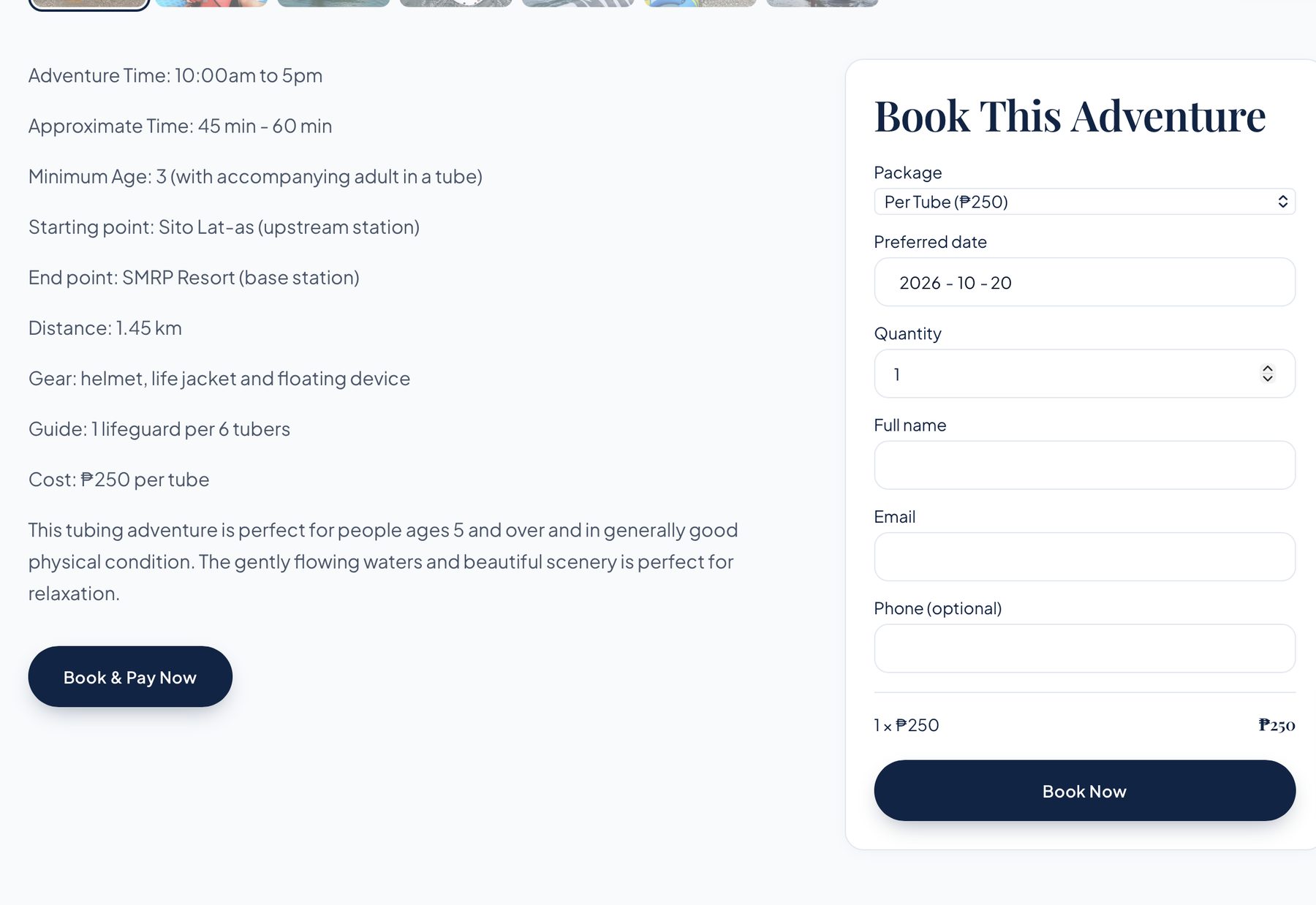
Book This Adventure
Room Page
Before
After
The 5 rooms (Family, Deluxe and Superior Domes; Junior and Couple’s Cabins) were rebuilt from the official brochures, with photo galleries, full rate tables and amenities as real text, and booking built into every page.
Key Design Decisions
Five Calls, and What Each One Cost
Everything Editable, Not Some of It
Modelling every content type up front took longer than hard-coding pages. I took that trade on purpose: prices, menus and offerings change, and every hard-coded value becomes a call to a developer.
Only Real Reviews
The reviews section shows only reviews staff approve. I chose not to publish AI-generated testimonials, because fake reviews would mislead the guests the resort wants to welcome. The cost is a thin section at launch, so it invites real reviews instead.
Protect the Client’s Logo
The new logo’s blue lettering disappears on navy. Rather than recolour it, I set it on a white card on dark backgrounds, through one shared logo component. The favicon uses the sun-and-kayaker emblem, which stays readable when small.
Show Adventure Photos Whole
Cropping mixed-shape photos to fill a frame cut off the people kayaking. The carousel shows each photo whole on a blurred fill: less edge-to-edge, but honest. It supports swipe, arrows, keyboard and thumbnails.
A Menu Built for Its Photos
Photo cards for dishes with pictures from the restaurant’s product shoot, dotted-leader price lists for the rest, and a sticky category bar so a guest on a phone never loses their place.
Logo on Navy
Restaurant Menu
Before
After
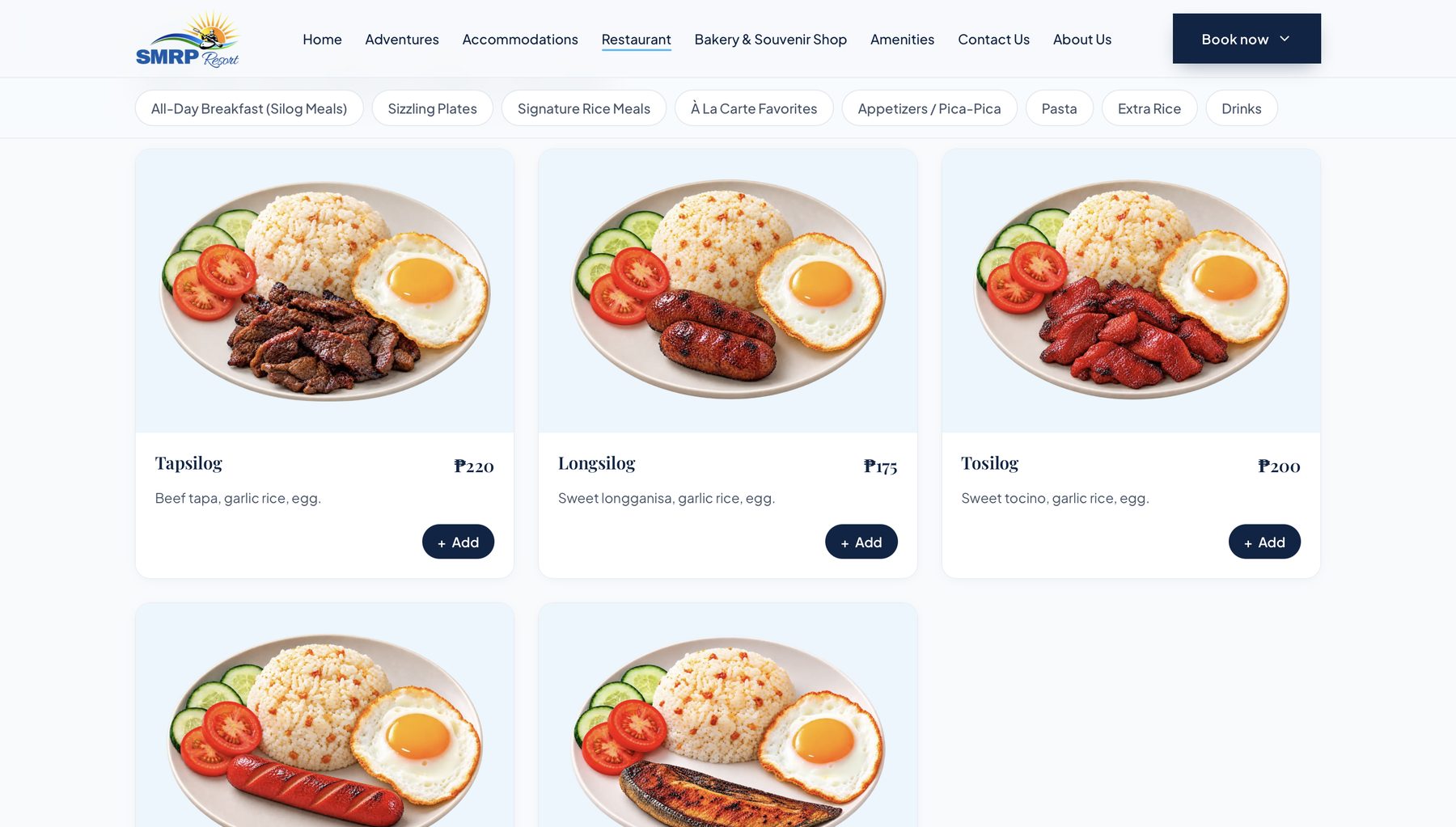
Before, every dish shared one placeholder logo. After, each dish has its own photo, a one-line description, and an Add button for ordering to a room, a table or for pickup.
Footer
Before
After
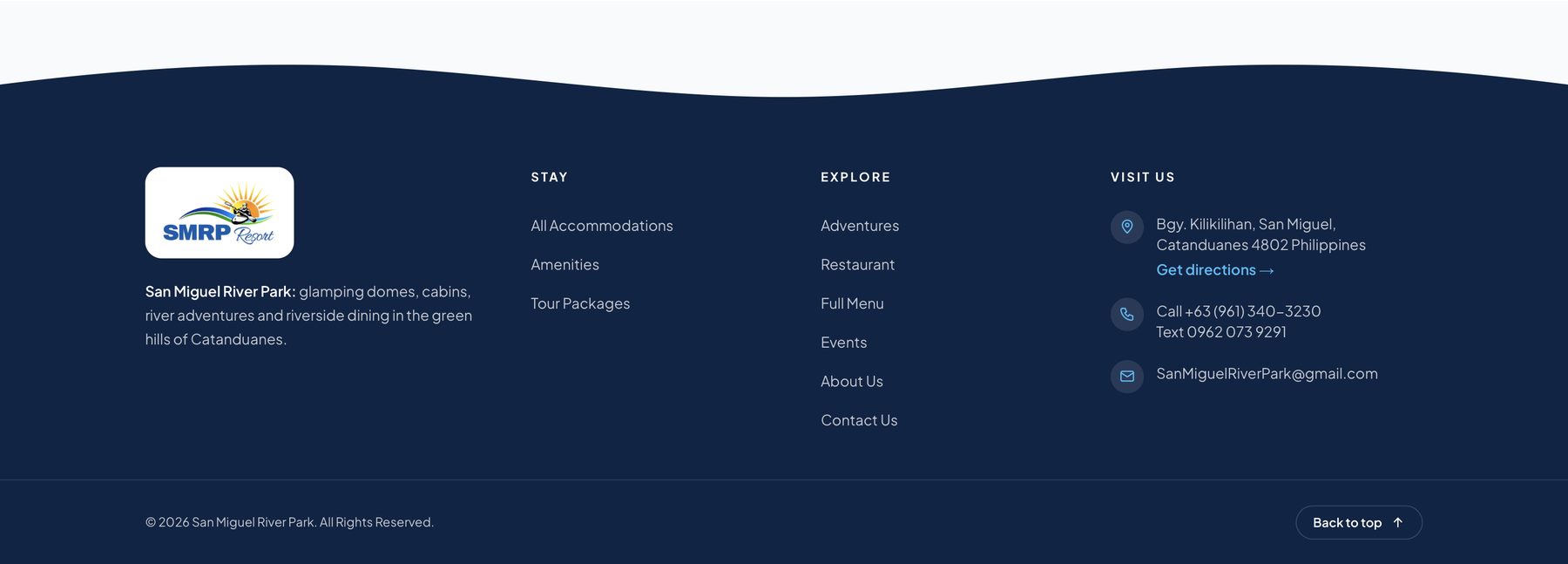
Filler text and other resorts’ photos replaced with grouped links and every way to reach the resort: click-to-call, text (SMS), email and Google Maps directions.
Beyond Rooms
Adventures, Food and Everything Else
Rooms are only part of a stay. The same booking and payment foundation runs the rest of the resort.
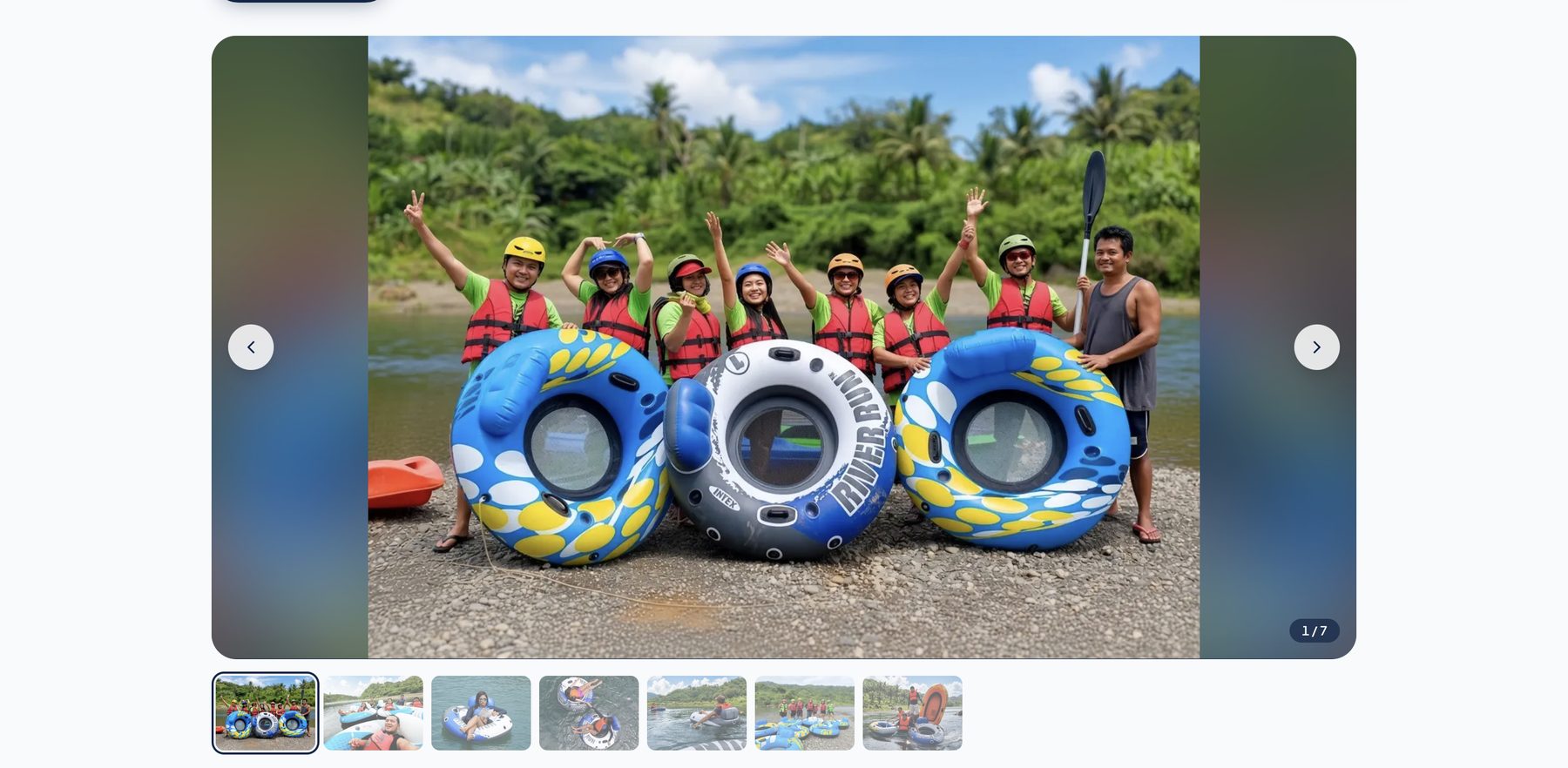
Adventure Photo Carousel
Zip Line, Coming Soon
Listed on the adventures page as “Coming Soon”, so guests know it’s on the way without being able to book it early.
Food Ordering
Guests add dishes from the menu and order to their dome or cabin, to their table, or for pickup. Room service carries a 10% charge, shown up front on every room page.
Table Reservations
A short “Reserve a Table” form (party size, date, time and contact details) that staff confirm by email or phone.
Events & Tickets
Events the resort hosts, with tickets managed from the CMS.
Tour Packages
Bundled packages listed alongside accommodations.
Real About & Amenities
An owner spotlight on the About page and a real Amenities page, using resort photos I enhanced myself in place of stock imagery.
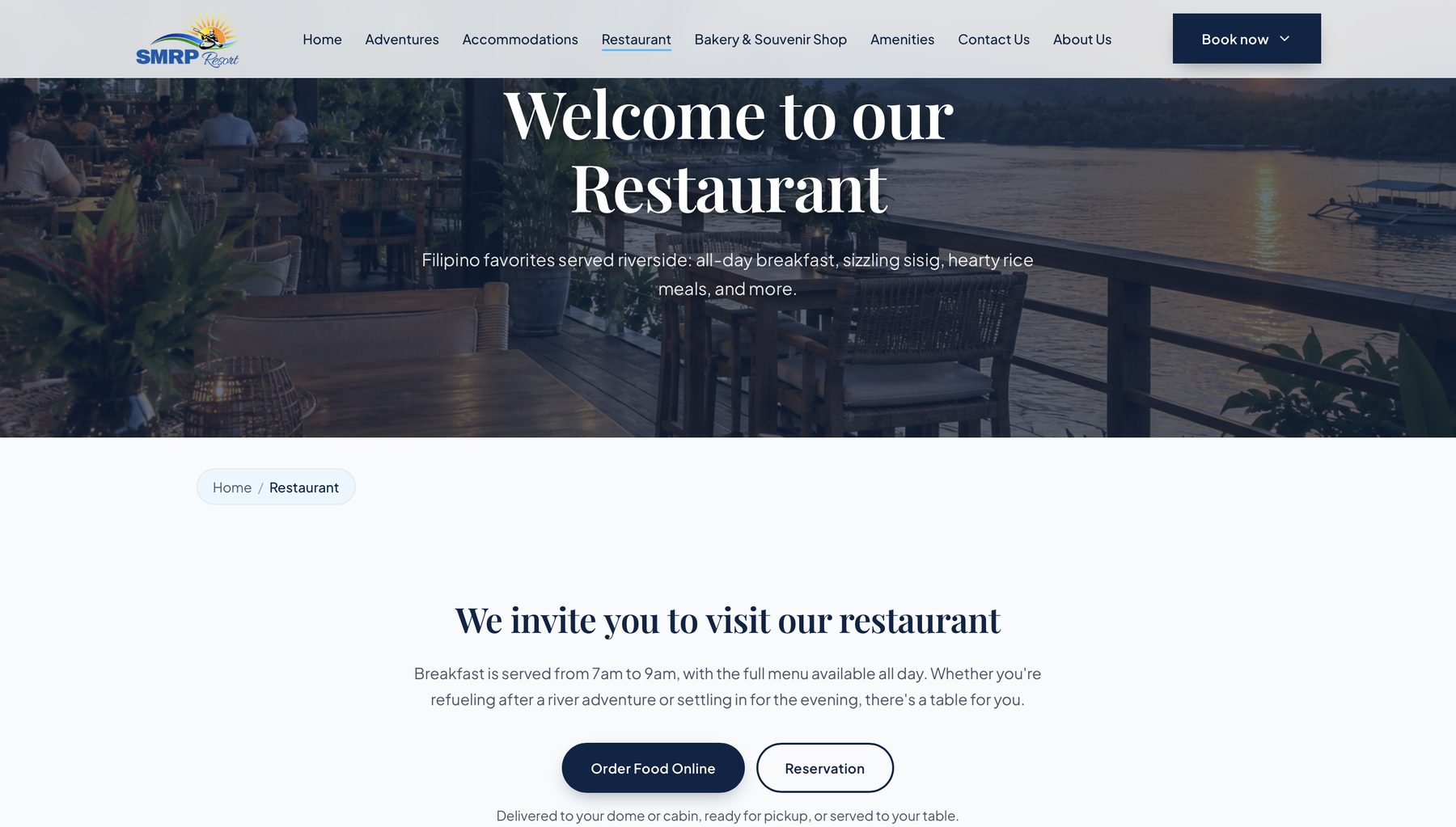
Restaurant Landing Page
Staff Control
A CMS the Resort Runs Itself
Rooms, adventures, menu items, amenities, reviews, contact details, the homepage hero and even the property rules are all edited in Payload CMS. No developer needed for a price change.
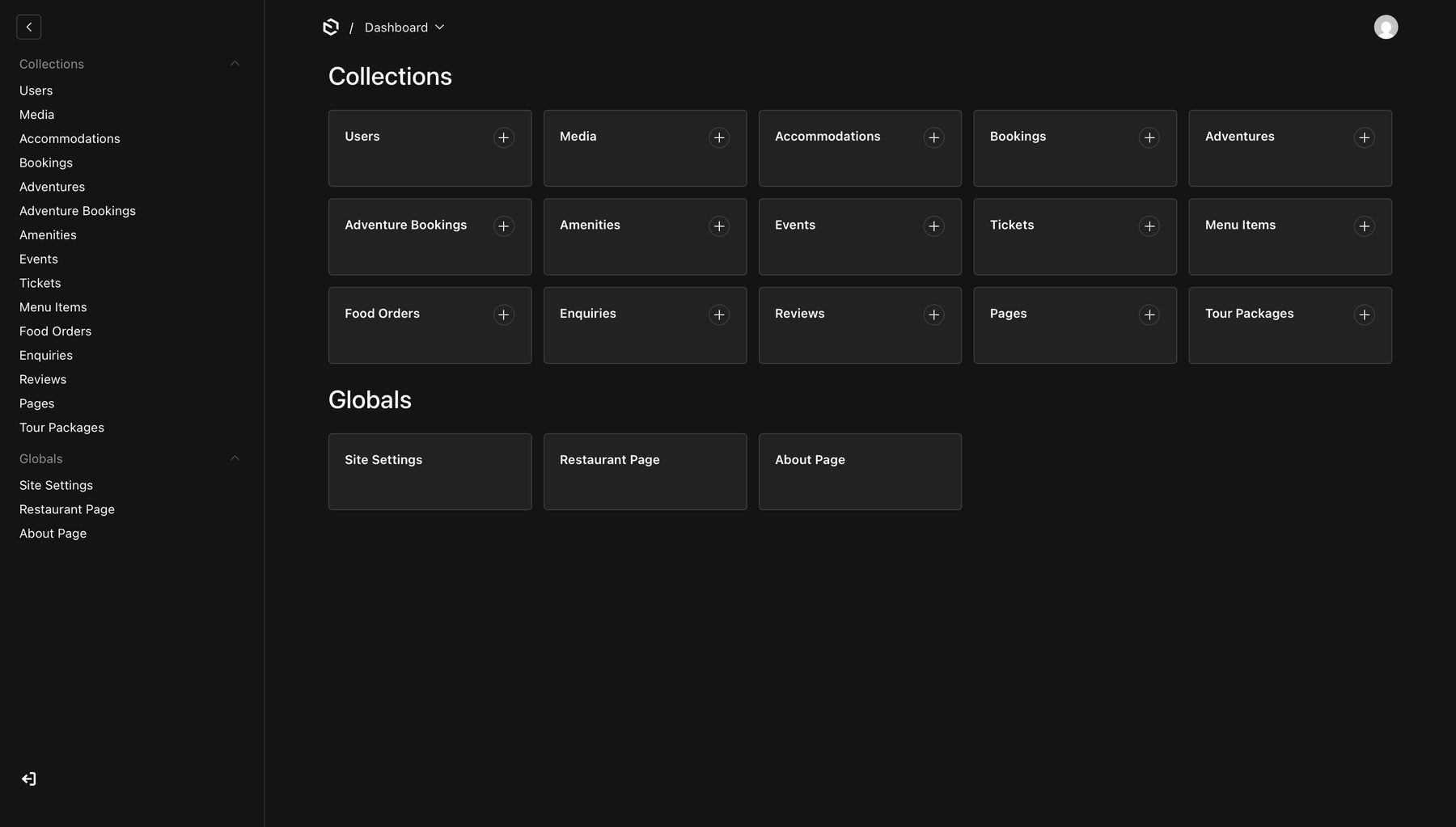
CMS Collections
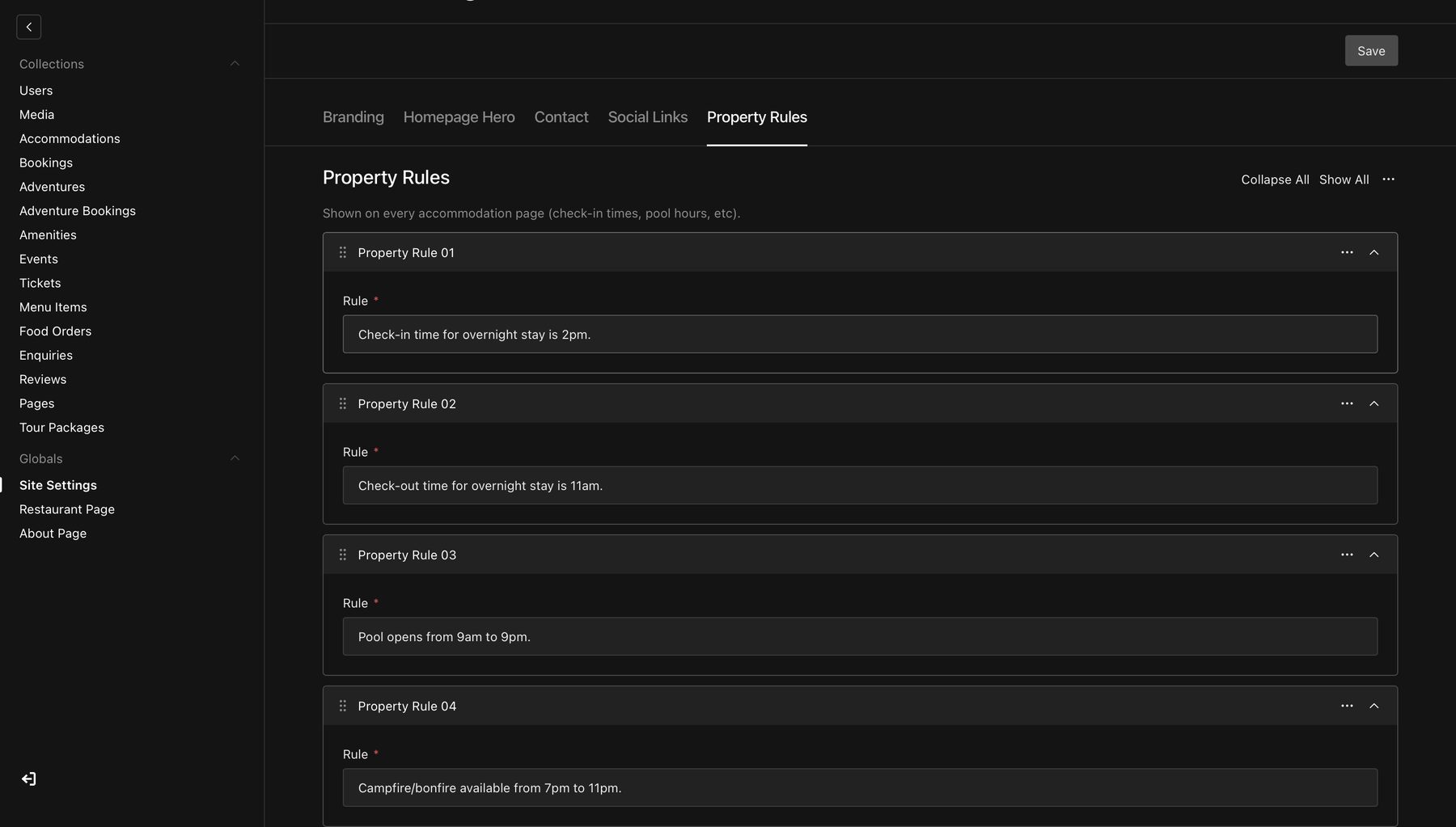
Property Rules, Edited by Staff
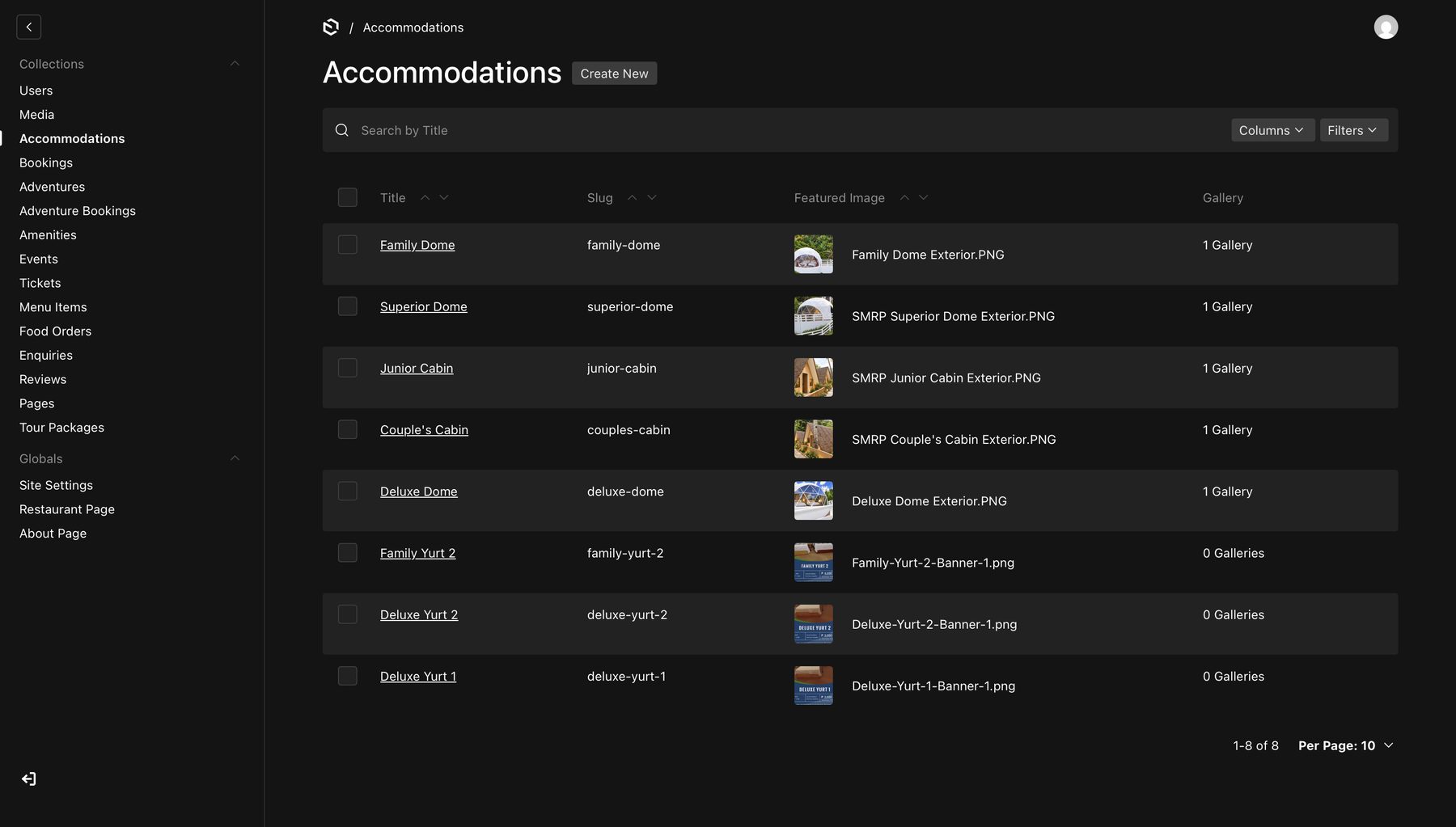
Retired Yurts, Kept on Record
Responding to Client Feedback
Changes Without Breaking History
Retired the Yurts
When the resort stopped offering yurts, I unpublished them rather than deleting them, so existing booking records stay intact.
New Logo, Everywhere
Swapped in the client’s new SMRP Resort logo through the shared logo component, made a favicon from its emblem, and updated the contact details.
Legible Heroes
Reworked hero images and overlays for legibility. On the Accommodations hero, white text stays above 8:1 contrast.
Outcome & Next Steps
Live, With the Last Steps in View
SHIPPED
- Live at smrp-website-sable.vercel.app
- Real content and real resort photos
- Room and adventure booking with PayMongo checkout
- Inventory rules and overbooking protection
- Food ordering and table reservations
- Every content area editable by staff
STILL TO DO
- PayMongo live keys, pending the client’s verification (test mode today)
- Connecting the custom domain
- Booking confirmation emails
No booking or revenue results are claimed here: payments are still in test mode.
What I Learned
The Edge Cases Were the Product
The booking system was more product work than the page designs. A shared last room, a checkout link that never expires, a retired room type with past bookings attached: those decided whether the platform could be trusted. Directing AI-assisted development made that even clearer. The quality of the result followed the precision of my decisions and the care of my review, not the speed of the implementation.
Rules before code
Every booking edge case needed a plain-language rule first. The rule was the design.
Direction is the craft
With AI doing the implementation, clear specs and careful review are what make the work good.
Honesty is a design choice
Real photos over stock, real reviews over generated ones, and an open list of what isn’t finished.
Design for whoever maintains it
The staff who update prices every season are users too. The CMS got the same care as the site.